

102 ColdBox Tips and Ticks by Luis Majano
What is CommandBox and why is a key tool for ColdBox users?
CommandBox isn't just a powerful CLI for CFML—it’s also packed with tools to make ColdBox development faster and more efficient. In this tip, we’ll explore some of the most useful ColdBox-specific commands that can make your development life easier.
ColdBox CLI
All the CommandBox commands for ColdBox are encapsulated in the coldbox-cli package that comes pre-bundled with CommandBox. However, just to make sure let’s install it again to get the latest and greatest.
install coldbox-cli --force
CommandBox ColdBox Commands
CommandBox comes with a coldbox namespace loaded with commands to assist you throughout your ColdBox development journey. Whether you need to generate complete applications, monitor your code edits, or quickly reinit your framework, these commands have got you covered.
To see all available ColdBox commands, just run:
coldbox ?
You’ll get a list of namespaces and commands that make your workflow smoother. Let’s take a look at a few key commands:
Example
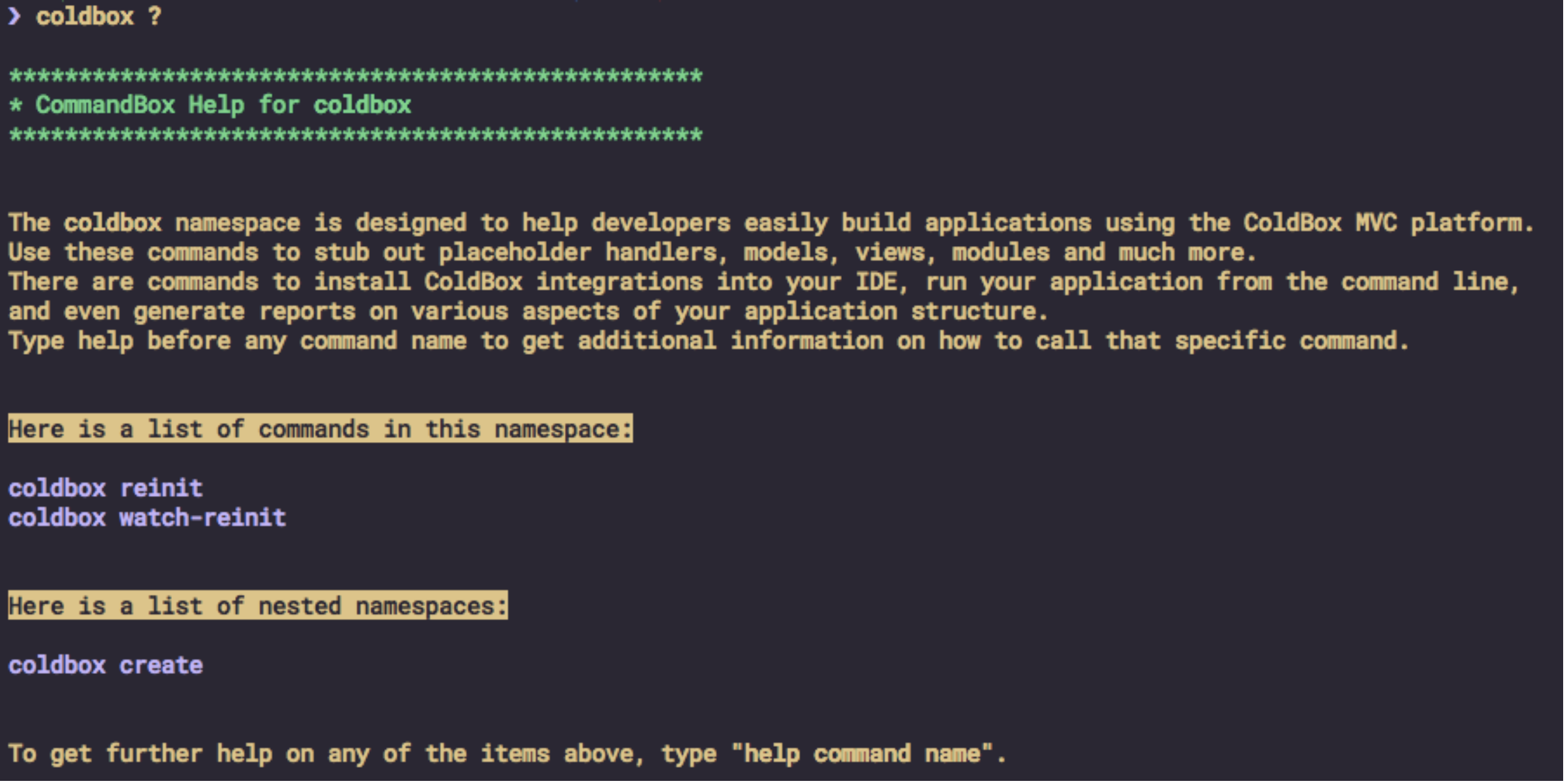
Top-level ColdBox Commands:
-
reinit: Quickly reinitialize your running ColdBox application without restarting the server.coldbox reinit -
watch-reinit: Set up an async watcher to monitor your file changes. If a file is modified, ColdBox will automatically reinit the app for you. This is super handy during development to keep things in sync without constant manual restarts.coldbox watch-reinit
Creation Commands:
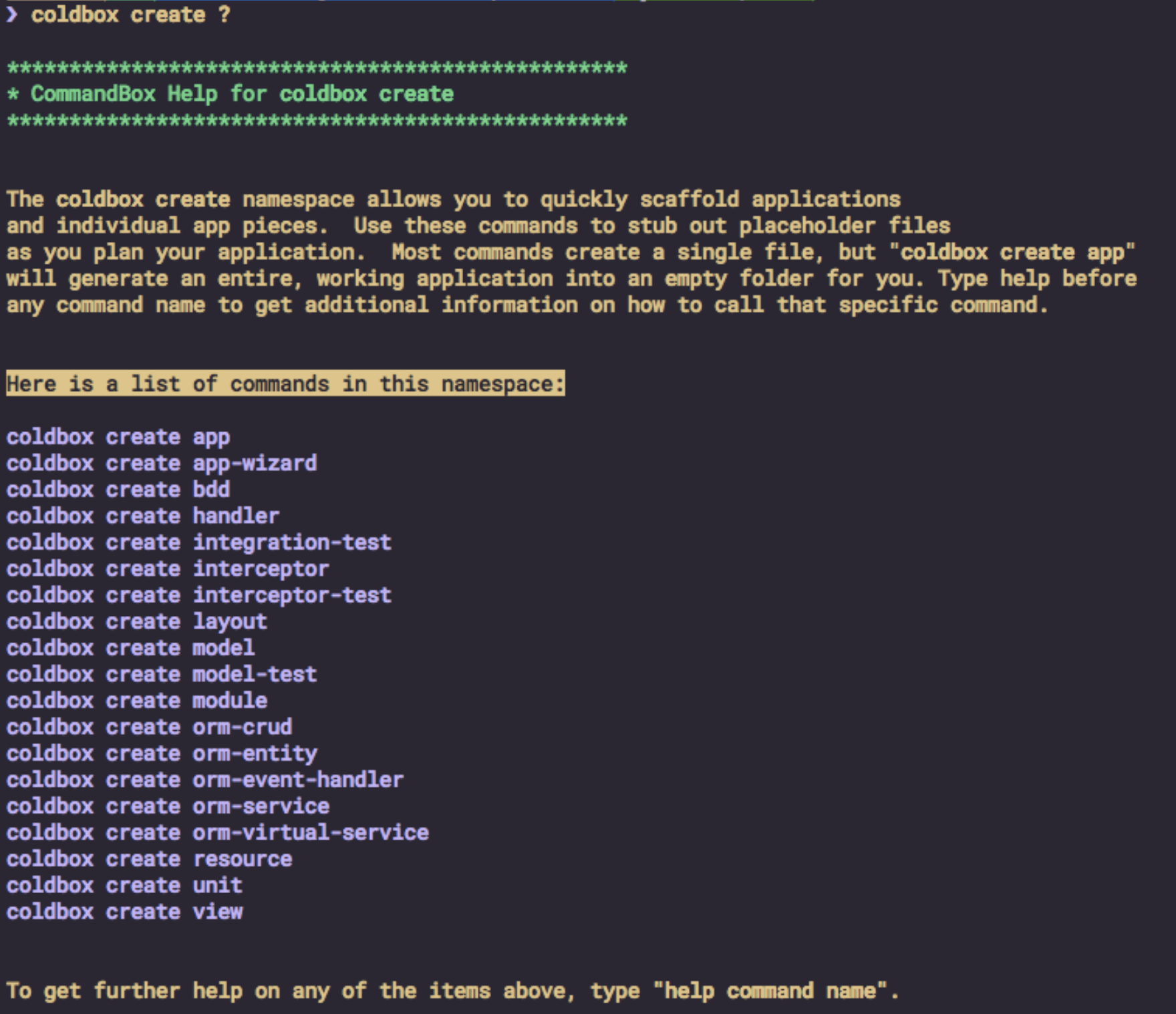
CommandBox's coldbox create namespace allows you to generate various ColdBox elements easily:
coldbox create ?: Shows all the available commands under thecreatenamespace.
Use this to generate handlers, modules, interceptors, and much more, right from the CLI. It’s a huge time-saver, letting you scaffold your application with ease.
Try out these commands next time you’re building with ColdBox and let CommandBox do the heavy lifting for you! Keep an eye out for our next tip, and as always, happy coding!
Example
Learn More ColdBox Tips and Tricks
Stay tuned for more ColdBox tips in our ongoing series. if you want to learn more than 10 free tips and tricks make sure to get your “ColdBox 102 tips and tricks book” We have a variety of formats you can choose from.





Add Your Comment
(3)
Oct 16, 2024 18:07:29 UTC
by Will B.
Didn't know about . I find, however, that (in dev), it's generally easier to set my Wirebox services to .into(THIS.SCOPES.REQUEST) while I'm working, and then just make sure I don't commit those changes. I'm generally working in one or two services and this is usually faster than any reinit. But that might be really, really good for a production (non-HA) at the end of a build process! :D
Oct 21, 2024 16:45:53 UTC
by Luis Majano
That's a great alternative too. We also improved the WireBox Singleton Auto-Reload in the latest version of ColdBox as well.
Oct 21, 2024 20:17:00 UTC
by Will B.
Don't know what that is, the WireBox Singleton Auto-Reload feature.